Hedgehog Creek - Multiplayer Web Game
When: 🕒 June 2020 - Present
View Project: 🔗 hedgehogcreek.com
Built with: NextJS, Socket.io, PixiJS, NextAuth, Gulp, NodeJS,Express, Airtable, PlayFab, Spine.
Try the game out
If you don't want to sign-up use this demo hedgehog account below.
Username: demo@hedgehog.com
Password: hedgehog123
About
Hedgehog Creek is an online point-to-click web game that allows players to chat, play minigames, collect items, dress their hedgehog and decorate their own homes. The idea is similar to many flash games I used to play as a child. Flash was discontinued in 2020, so it's a fun nod that the web can still be a great platform for interactive content.
In June 2020 during the first UK Covid lockdown, I came across Socket.io which allows real-time communication between a web browser and a server. I had some time during lockdown to "experiment" and "plan" to make my own online web game. My goal was to create an accessible online web world where people can connect during a time of isolation.
Tackling the technology
This project has been a huge learning curve for me as there are so many moving parts to an online game. I've never done this before but I had always wanted to try and make something online and interactive.
Before starting, I planned the design and explored suitable web libraries. I tried many 2D renders such as CreateJS and Phaser. But I ended up sticking with PixiJS.
I started in very small steps. If I could synchronise the movement of a rectangle between two web browsers in real time then I could keep building up with that.
Once I had a basic understanding I created a basic sprite, background and multiplayer state. I kept reworking, researching until I had made a basic desert room scene where players could log in, move and chat. This was a very simple chat game and had no features, but I had learnt so much from doing just this. I used MongoDB to store account information initially, but later switched to using PlayFab (which is free up to 100k users so I didn't need to worry too much about database stuff). At this stage I had a very early working prototype.
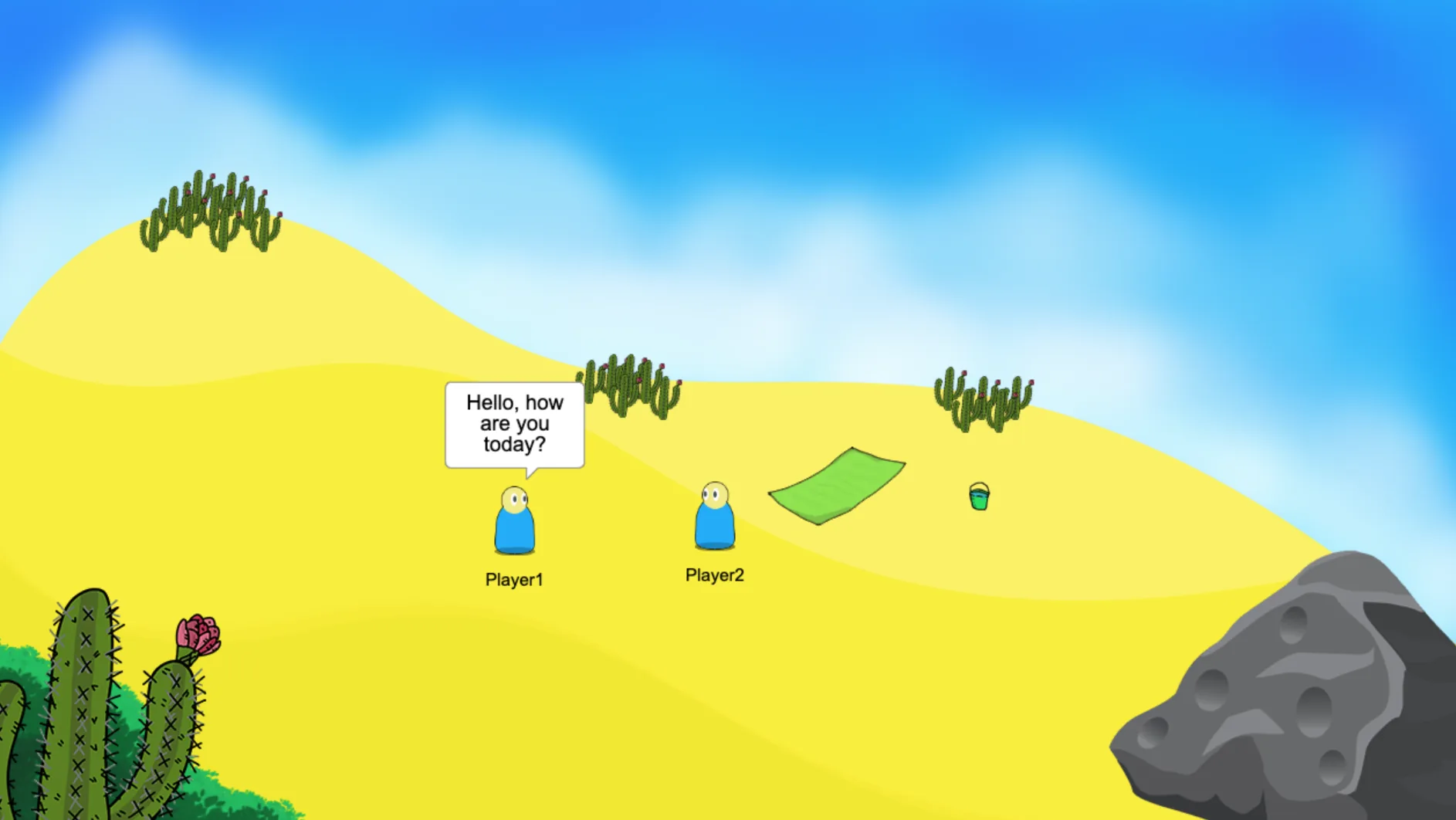
Example of the early working prototype
Design and Sketches
Once I was confident with the simple movement and chat elements I sat down and designed the plan for this project. I now had to learn how to do digital art!
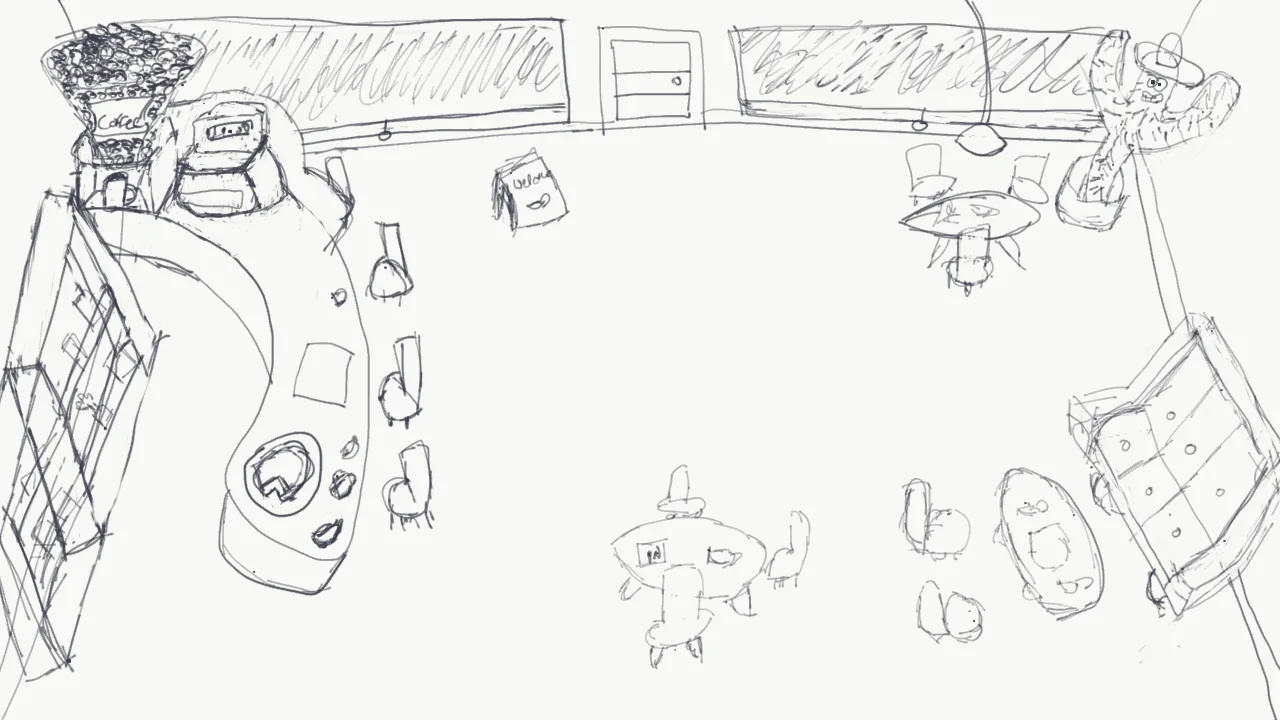
Based on the sketch, I recreated the Coffee room scene. I have also designed a Village and a Cave room, which you will see in the other screenshots below.
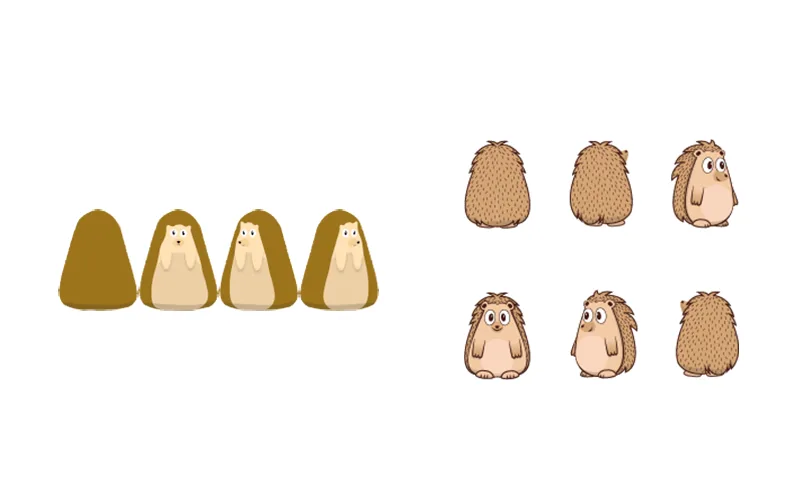
I chose to centre the game around hedgehogs. Growing up, my Nan would feed wild hedgehogs, and it was fascinating to observe their unique personalities when we saw them in her garden late in the evening. It seemed quite fitting to see people customise their personalities into hedgehog avatars! Hedgehogs are also in decline in the UK, so it was a great idea to try and raise a little bit of awareness for them.
I produced a rough drawing of a hedgehog with some of the angles and directions needed.I reached out to an artist online so I could save time improving the code. She was able to improve on the sketch and improve the hedgehog character with all the angles I needed. As for the wearable items, I designed and drew them all myself.
Mobile
Hedgehog Creek is designed to be accessible all through a web browser on mobile, tablet and desktop computers. With the power of modern web technologies, this is possible! You can carry a virtual world around with you and play from anywhere and all from the same code base.
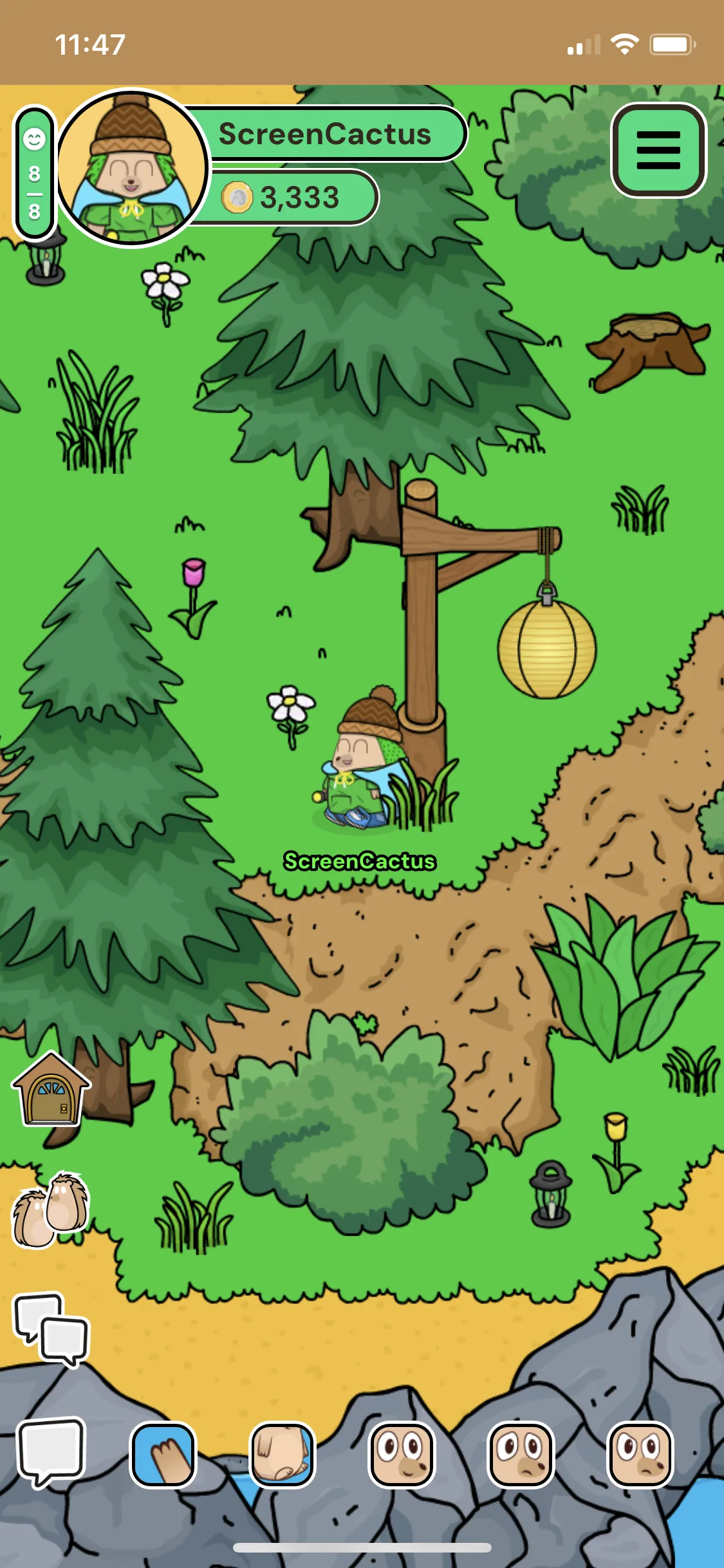
The game working on iOS on an iPhone!
Day and night cycle - A blending of colours and lighting effects. Everyone in the world will see the same day/night effects and weather. This helps make the world feel a bit more alive.
Chat Moderation
Since the game targets a younger audience, it is essential to have mechanisms in place to prevent chat abuse. To address this, I created a web dashboard that allows me to moderate the game and even when I'm on the go. In addition to a regular word blacklist filter, I incorporated the Perspective API, an AI-based filter that assigns a toxicity rating to each message thus helping to identify potentially harmful content. The AI strives to understand if a message could be considered toxic. If the game detects someone engaging in "toxic" behavior in the chat, it alerts me and takes automated actions such as issuing mutes and kicks. Fortunately, I haven't encountered many problems in this regard.
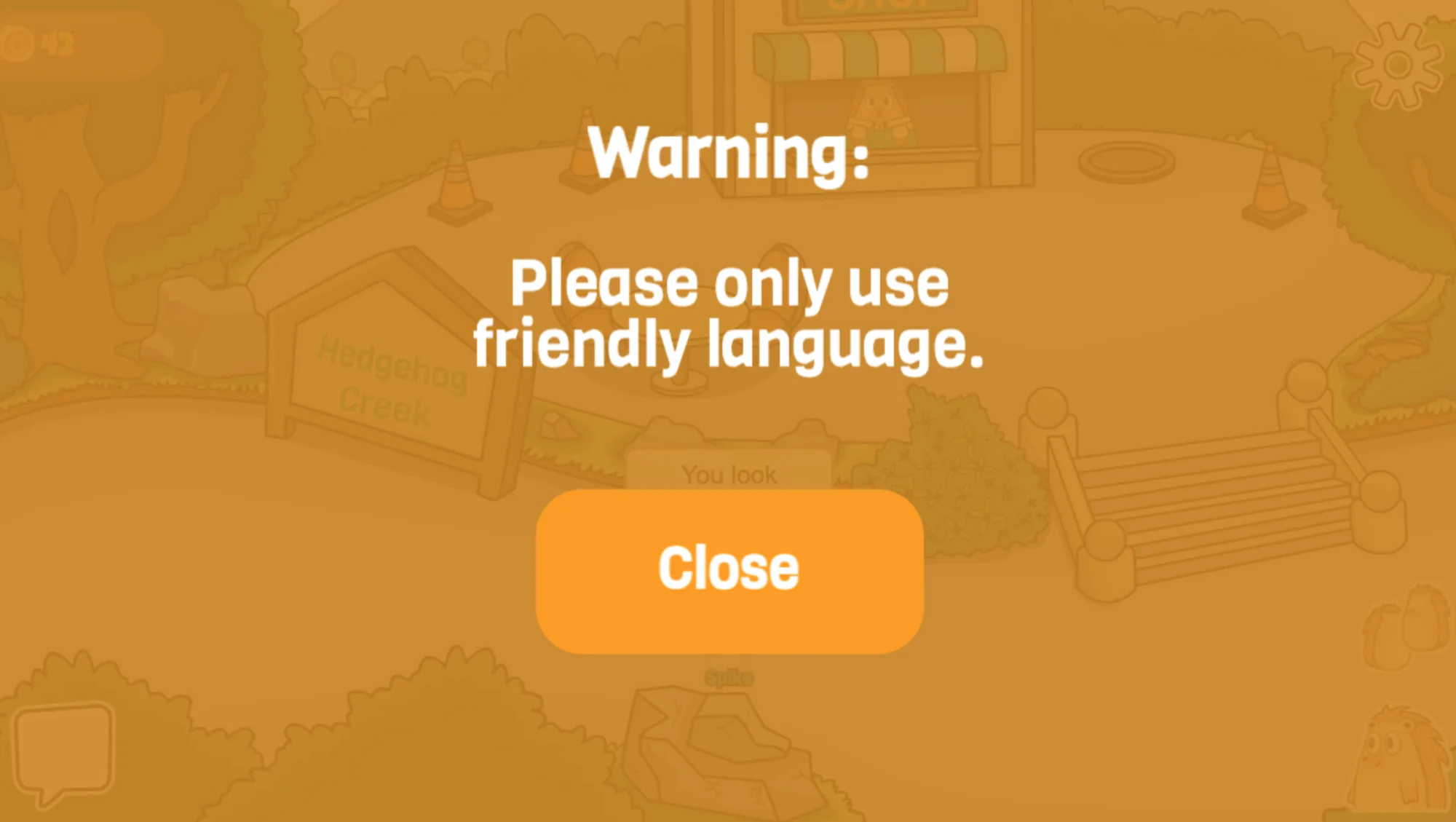
Example of a player being warned.
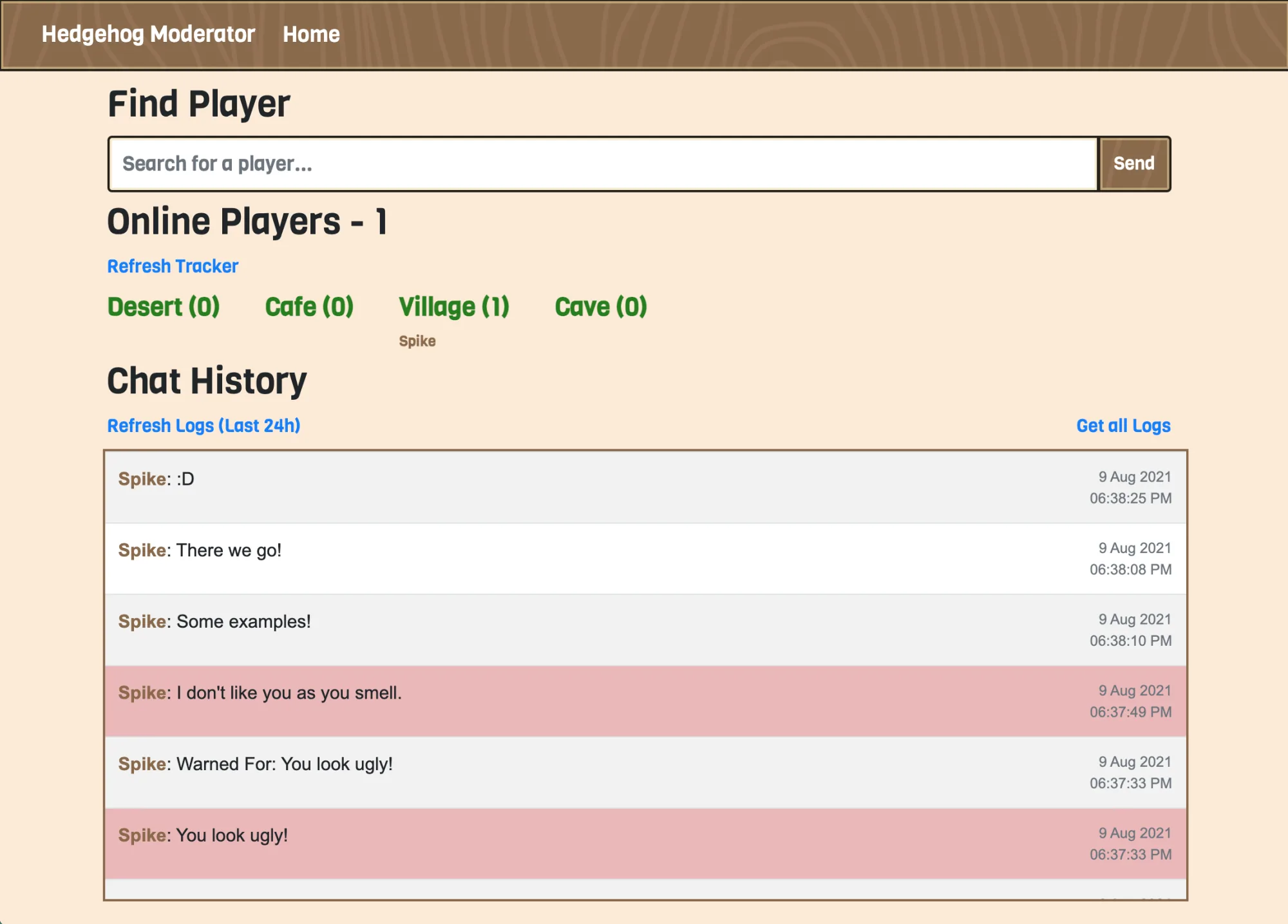
Blocked messages in red on the chat log. Including tracking of who's connected in what room and how many total players are online.
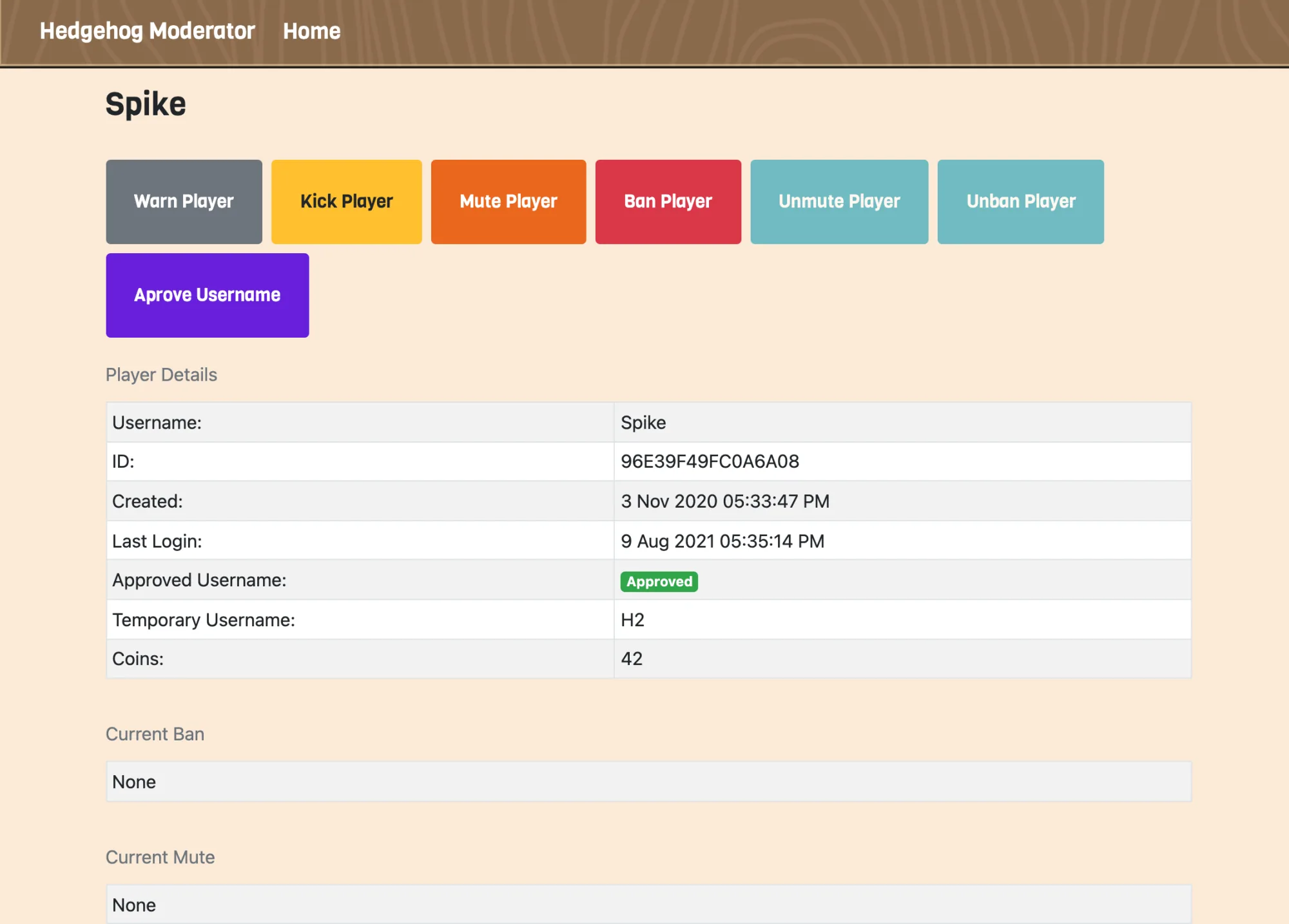
Example of the player profile where I can warn, kick, mute or ban the player.
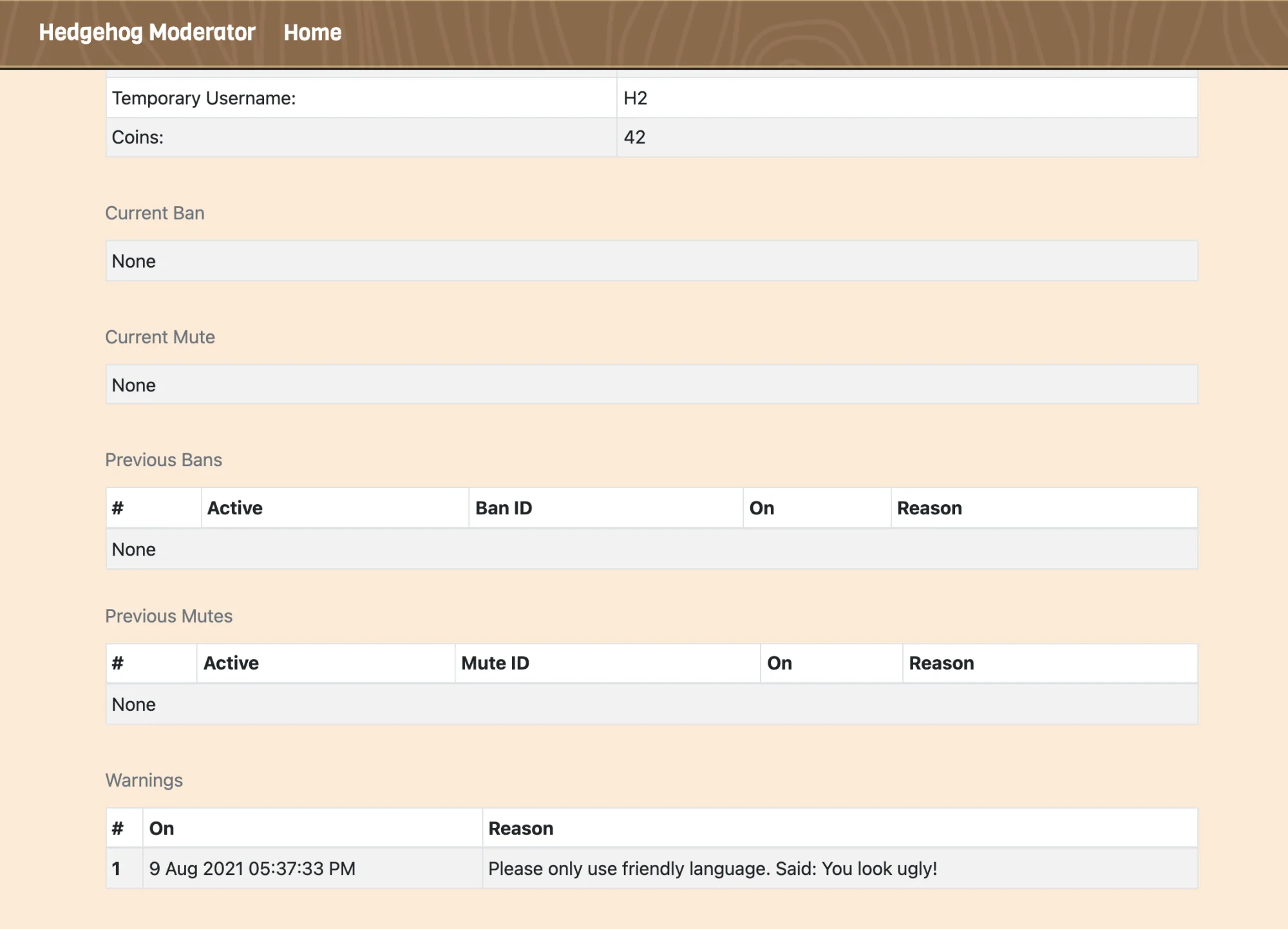
Example of showing the players past warnings, mutes and bans.
Automation Tools
I used Airtable and Gulp to generate JSON data and file structures so I could easily add items and new rooms in the future without having to hardcode any in-game content.
Screenshots
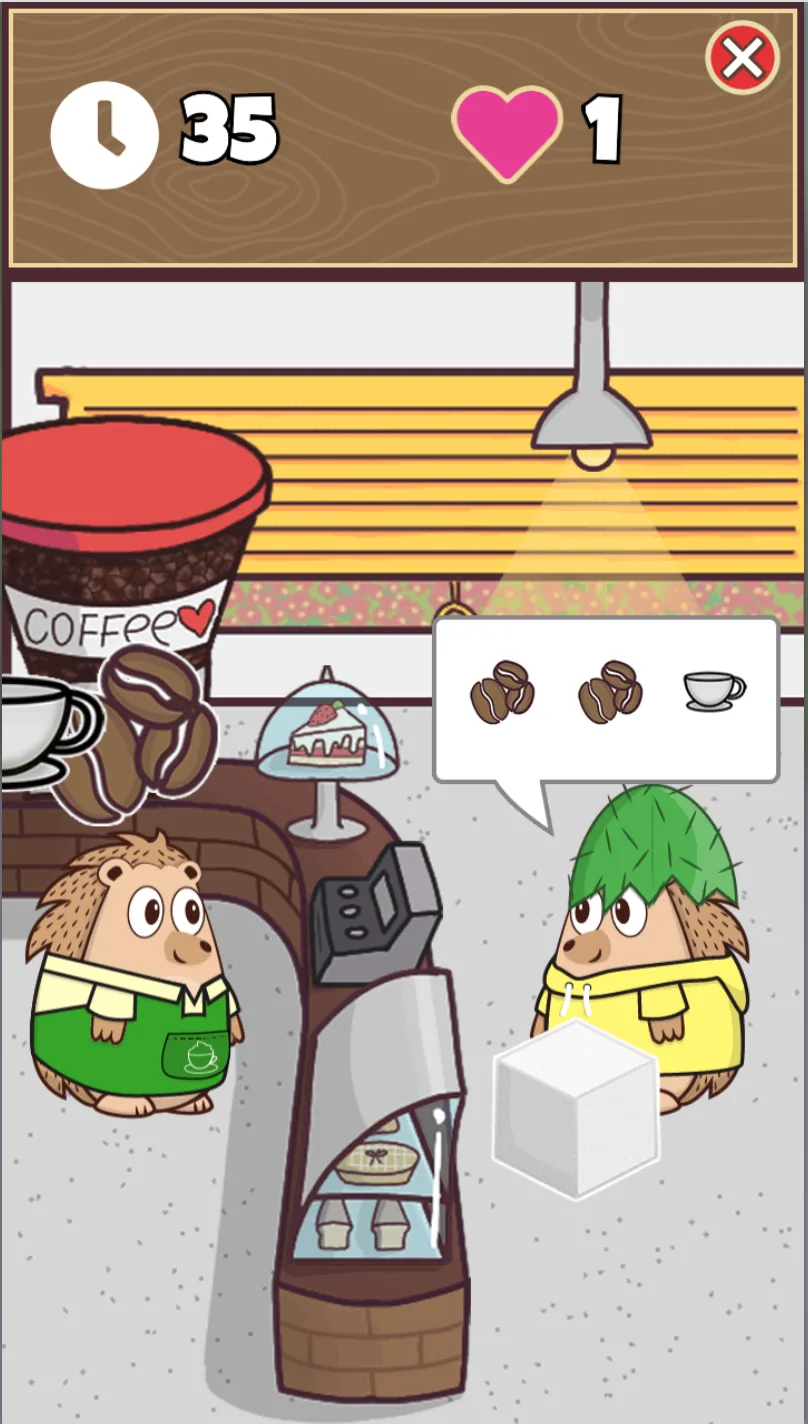
Coffee Collection mini-game - Players can earn coins from this game to spend in the shop. You have to tap the correct order of the ingredients to get the highest score and there is a leaderboard!

A lite Combat Card Battle System.

A lite simple friends list.
Features
- Explore and join different rooms, including the Village, Cafe, and Cave rooms.
- Room Depth: Each room is furnished with objects, and depending on the Y-axis, your hedgehog will appear either behind or in front of these objects.
- Multiplayer functionality: Interact with other players, observe their movements, and engage in conversation.
- Coffee Collection Minigame: Earn coins by playing this fun minigame.
- Shop system: Purchase various clothing items for customization.
- Interaction with Non-playable characters (NPCs).
- Customise your hedgehog's appearance.
- A day and night cycle system.
- Friends list: Add, accept, or decline friend requests.
- Chat filter: Utilizes both a traditional word blocker and Ai based toxicity filter from Perspective AI API.
- PWA Support: Use Hedgehog Creek as a web app on mobile, tablet and desktop.
- Moderation site: Access chat logs, manage player accounts, and handle blocked messages.
- Lite Combat Card Battle System.
- House decorating system.
- This project is still in development! I work on it in my freetime! It's near 2,000 signups and has developed a community following it.